RTX 4070 SUPER Temperature Test: 33 Minutes of Modded Cyberpunk 2077
By BAEKHO | TREND BYTE
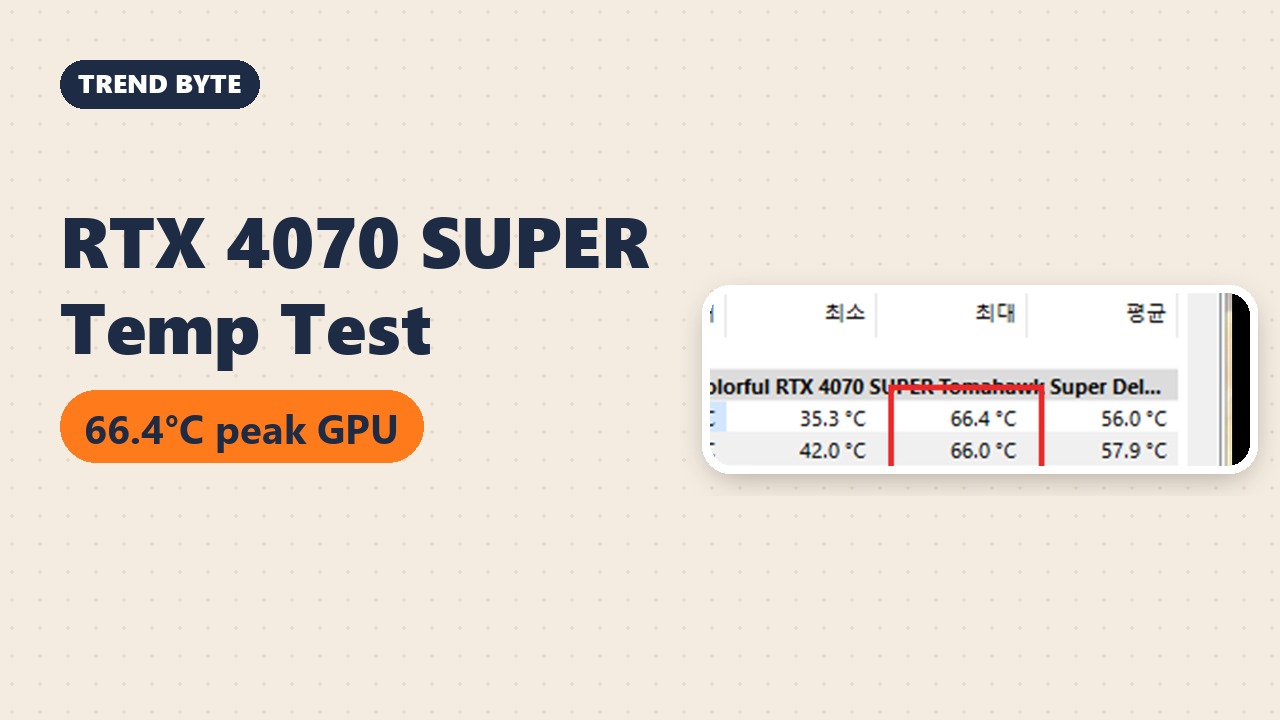
Short answer: On my PC (Colorful RTX 4070 SUPER Tomahawk, default settings), a 33-minute modded Cyberpunk 2077 session peaked at 66.4°C GPU temperature and 79.0°C hot spot. NVIDIA lists 90°C as the maximum GPU temperature for this card, and my card's thermal limit was 84°C, so the peak left plenty of room.
I used to worry a lot about my graphics card temperature. I didn't know where the limit was, so I'd start to panic whenever it got close to 85°C.
So I finally checked two things on my own PC: how hot my card is allowed to get, and how hot it really gets in a game.
Here's what I found.
1. My Test Setup
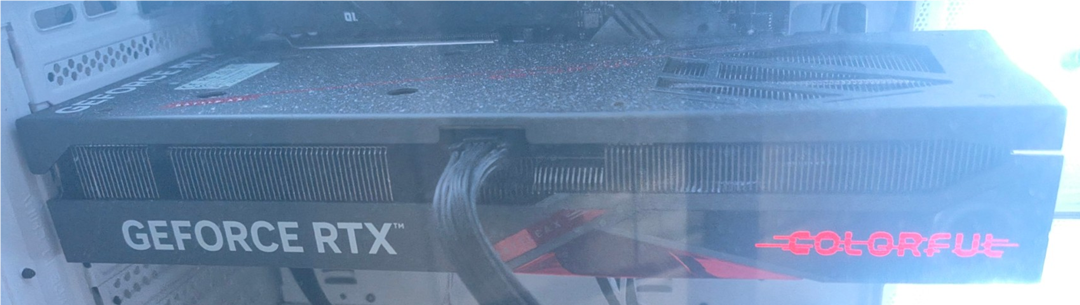
- Graphics card: Colorful RTX 4070 SUPER Tomahawk, no overclock, default settings
- CPU: AMD Ryzen 7 9800X3D
- Game: Cyberpunk 2077 with mods
- Log length: 33 minutes, including a little time before and after playing
These results come from my PC, my case, and my mod setup. Room temperature, the game, and case airflow can change the numbers.
2. How Hot Is Too Hot for an RTX 4070 SUPER?
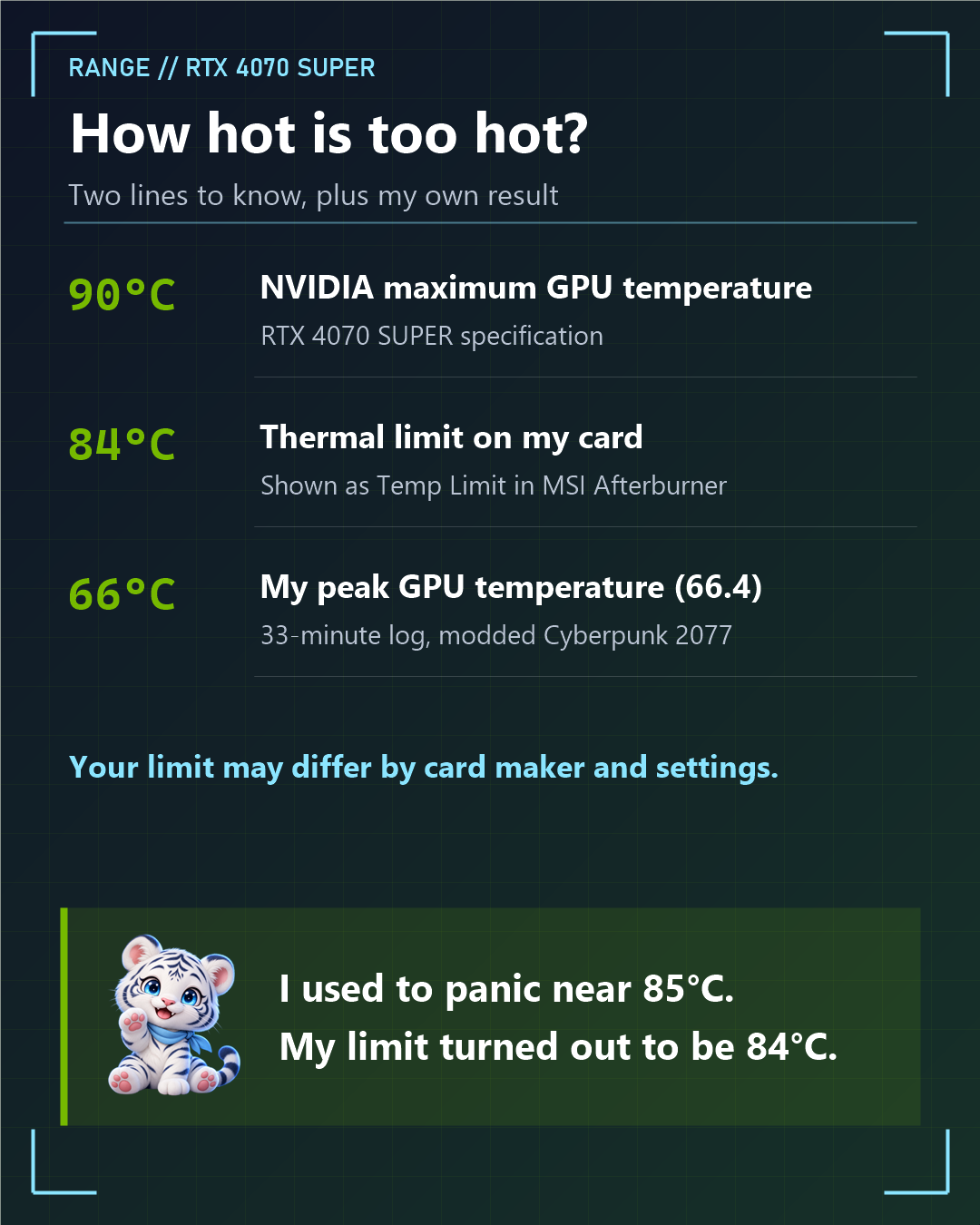
NVIDIA lists a maximum GPU temperature of 90°C for the RTX 4070 SUPER.
There's a second line to know: the thermal limit. On my card, it was set to 84°C. Near that temperature, the card adjusts its own speed to stay in range.
I used to panic near 85°C, and it turned out my card's limit was 84°C.
This value can vary by card maker and settings, so check your own card.
3. How to Check Your GPU Temperature with HWiNFO
I used HWiNFO, a free monitoring tool. My copy runs in Korean, so the labels in my screenshots are in Korean.
- Open HWiNFO and go to the Sensors window.
- Scroll to the group that starts with "GPU [#0]: NVIDIA GeForce".
- The top rows of that group are the temperatures.
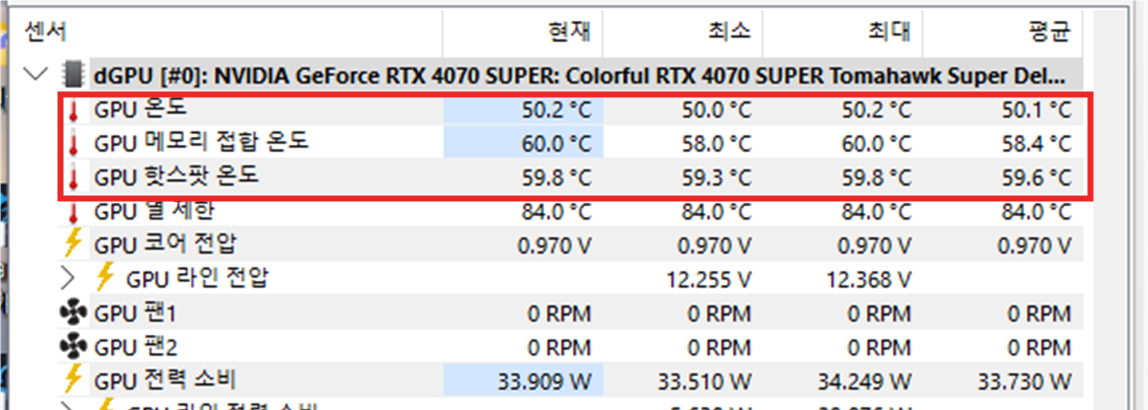
- GPU Temperature: the main chip temperature, and usually what people mean by GPU temp.
- GPU Hot Spot Temperature: the hottest point inside the chip, so it reads higher.
- GPU Memory Junction Temperature: the temperature of the graphics memory (VRAM).
This screenshot is from before gaming. The GPU was at 50.2°C and the fan was at 0 RPM. That doesn't mean the fan is broken. Many cards stop their fans at low temperatures.
One tip: don't close this window while you play. Just minimize it. The Maximum column keeps the highest value from your session.
4. My Results

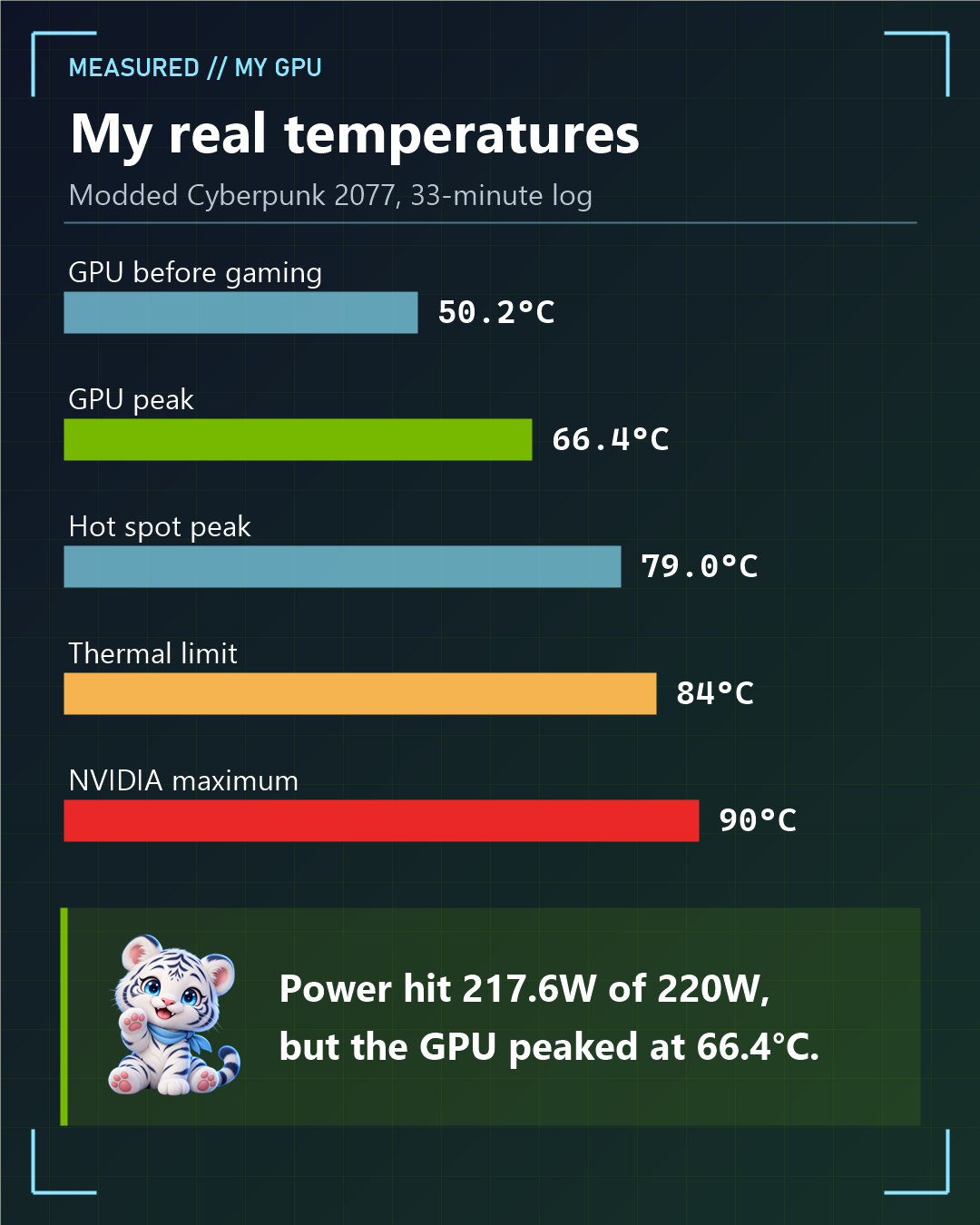
- GPU temperature: 50.2°C before gaming, 66.4°C peak, 56.0°C average over the log
- Hot spot: 79.0°C peak
- Memory junction: 66.0°C peak
- Fan: 1,692 RPM peak (52%)
- Power: 217.6W peak, with a 220W limit
The card used almost all of its power limit, but the GPU only peaked at 66.4°C. That's more than 20°C below NVIDIA's 90°C maximum, and it never reached my 84°C limit. The fan also had room left at 52%.
The hot spot was about 13°C higher than the GPU temperature. It's a different reading, so a higher number there is expected.
5. A Mistake to Avoid in MSI Afterburner
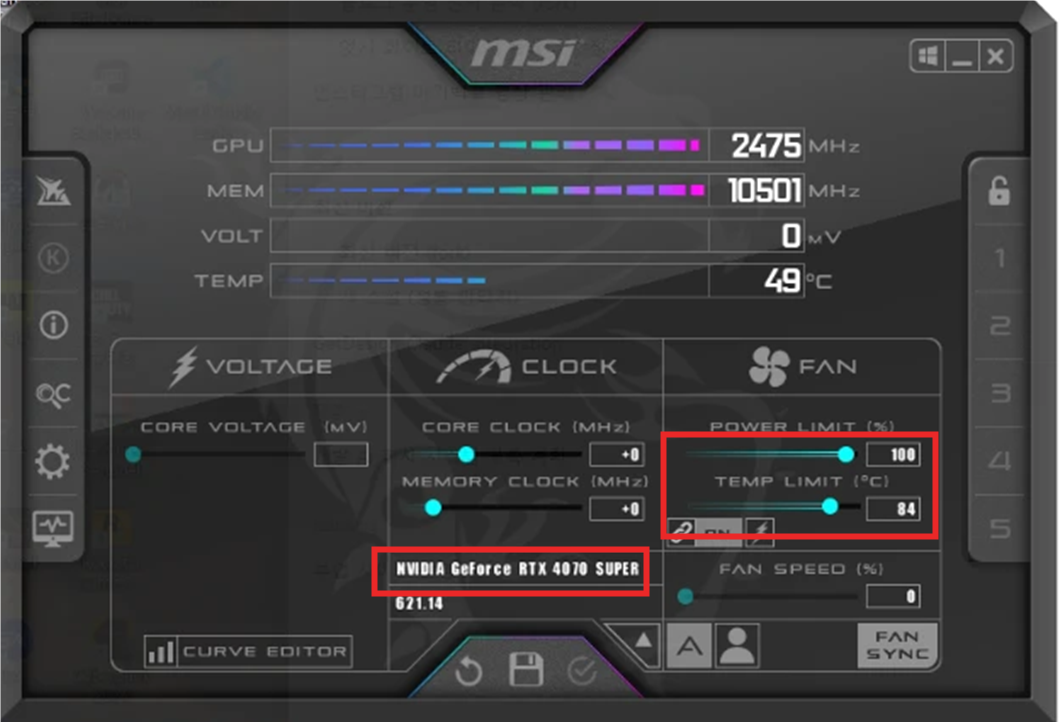
MSI Afterburner showed these settings on my card:
- Core clock and memory clock: +0
- Power Limit: 100%
- Temp Limit: 84°C
When I first opened it, I saw strangely low numbers like 37°C and 600MHz. It had selected the integrated graphics inside my CPU instead of the RTX card.
To fix that, open Settings, go to General, and choose your RTX card as the main graphics processor. If your CPU has integrated graphics, like Ryzen 7000 and 9000 chips, check this first.
6. How to Lower GPU Temperature
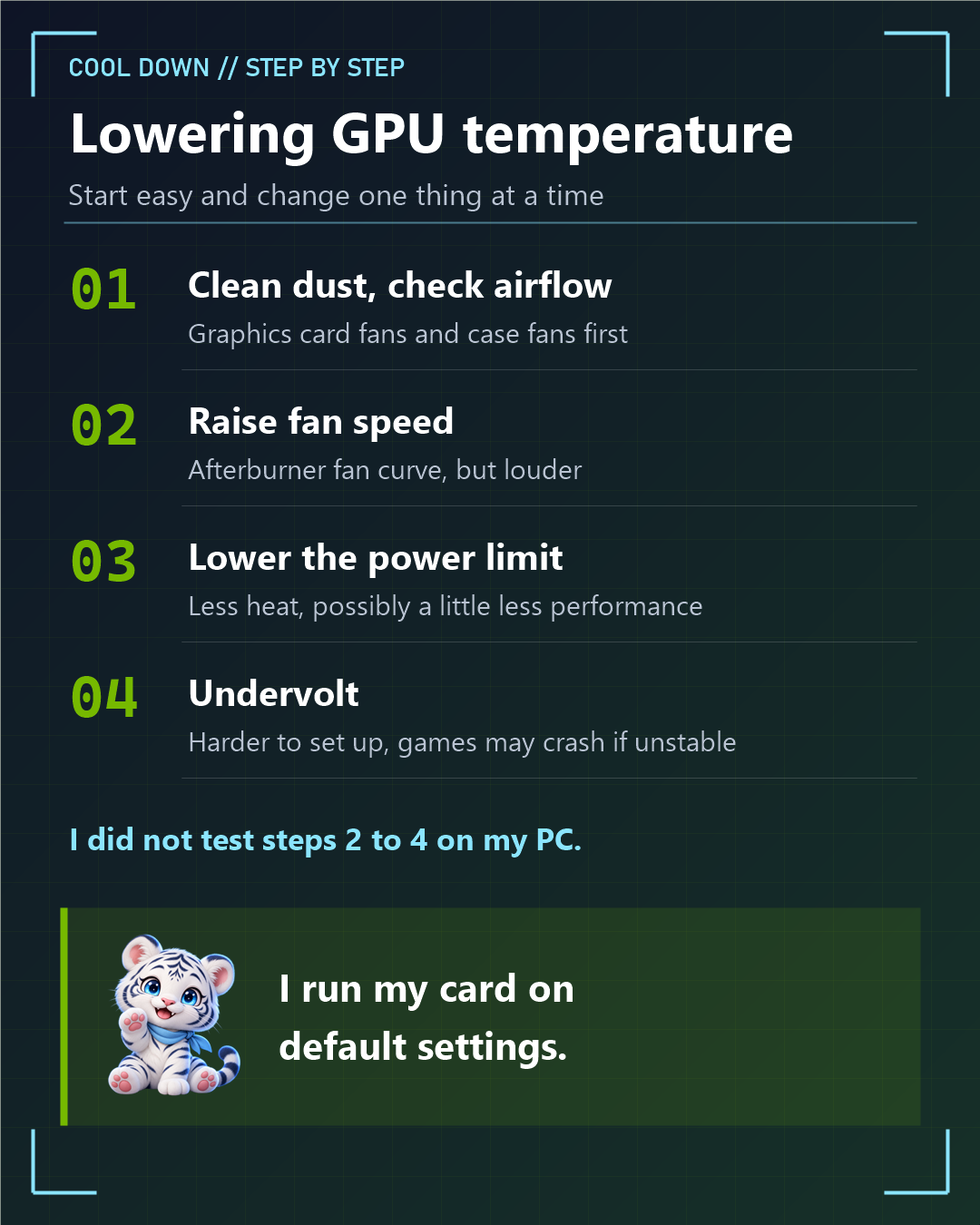
Start with the easy steps:
- Clean dust and check airflow. Look at the graphics card fans and case fans first.
- Raise the fan speed. A fan curve in Afterburner spins the fans faster at the same temperature, but it's louder.
- Lower the power limit. This reduces heat, but you may lose a little performance.
- Undervolt. This lowers the voltage. It's harder to set up, and games can crash if it isn't stable.
I haven't tested steps 2 to 4, because I run my card on default settings. If you try them, change one thing at a time.
7. Final Thoughts
Once you know your card's limit, you can draw your own line. Some people draw it tight, and others leave more room. That depends on the person.
But if you don't know the limit, the numbers alone can make you panic like I did. So check your own card first.
My Numbers at a Glance
| Item | Value (33-minute log, my PC) |
|---|---|
| GPU temperature | 50.2°C before gaming, 66.4°C peak, 56.0°C average |
| Hot spot | 79.0°C peak |
| Memory junction | 66.0°C peak |
| Fan | 1,692 RPM peak (52%) |
| Power | 217.6 W peak, with a 220 W limit |
| Limits | NVIDIA's maximum GPU temperature: 90°C. My card's thermal limit: 84°C |
Words to Know
- thermal limit: the temperature where a part starts slowing itself down (온도 제한)
- Hot Spot: the hottest point inside the chip (핫스팟)
- Memory Junction: the temperature of the graphics memory (메모리 접합부 온도)
- integrated graphics: a small graphics chip built into the CPU (내장 그래픽)
- power limit: the most electric power a card is allowed to use (전력 제한)
- fan curve: a setting for how fast fans spin at each temperature (팬 커브)
- airflow: how air moves through the PC case (공기 흐름)
- Undervolt: to lower the voltage so a part runs cooler (언더볼팅)
Sources (official pages, in English):
Related posts on TREND BYTE:
Last updated: November 21, 2026 (restructured with a short answer at the top and sources at the bottom; numbers unchanged).