Ryzen 7 9800X3D Temperature Test: 64.9°C Peak in Modded Cyberpunk 2077
By BAEKHO | TREND BYTE
Short answer: With a liquid cooler, my Ryzen 7 9800X3D peaked at 64.9°C during a 27-minute modded Cyberpunk 2077 session (average 55.4°C). AMD lists 95°C as the maximum operating temperature, which left about 30°C of room. On an air cooler, the same game was climbing fast toward 80°C, which is why I switched.
When I first got my Ryzen 7 9800X3D, I ran it with an air cooler. Then I looked at the temperature during Cyberpunk 2077, and it was climbing fast toward 80°C. After seeing that with my own eyes, I switched to a liquid cooler.
So I measured the CPU temperature on my PC as it is now. I played Cyberpunk 2077 with mods and wrote down what I saw. I also checked how hot this CPU is allowed to get.
1. How Hot Can a 9800X3D Get?
AMD lists a maximum operating temperature of 95°C for the Ryzen 7 9800X3D. At that point, the CPU lowers its own speed.
I couldn’t find an official AMD range that says "from here to here is normal." So the notes below are my own reading of the 95°C limit and of user reports. They aren’t an official standard.
- 95°C: AMD’s maximum operating temperature.
- 60s to 80s: the range I often see in user reports for gaming. It changes a lot with the game and the cooler.
- Staying above 90°C: I can’t call that a fault, but it’s worth checking the cooler mounting, thermal paste, and fans.
Many users also report a short spike when a game starts or builds shaders for the first time. So I look at whether the temperature stays high, not at one quick number.
2. How to Check CPU Temperature with HWiNFO
I used HWiNFO, a free monitoring tool. My copy runs in Korean, so the labels in my screenshots are in Korean.
- Open HWiNFO and go to the Sensors window.
- Scroll to the group named "CPU [#0]: AMD Ryzen 7 9800X3D: Enhanced".
- Look at the row "CPU (Tctl/Tdie)".
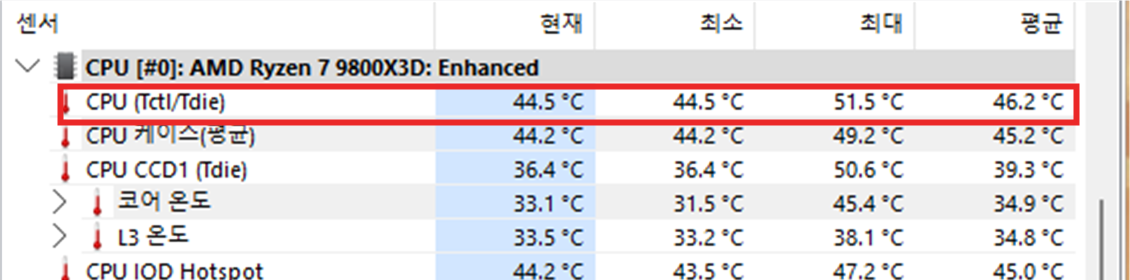
This screenshot is from before gaming. The first number column is the current value, and it shows 44.5°C.
One tip: don’t close this window while you play. Just minimize it. The Maximum column keeps the highest value from your session. If you close the window, the record starts over. I made that mistake once during this test and had to start again.
3. My Results
- CPU: AMD Ryzen 7 9800X3D
- Graphics card: RTX 4070 SUPER
- Cooler: liquid cooler
- Game: Cyberpunk 2077 with mods
- Log length: 27 minutes, including a little time before and after playing
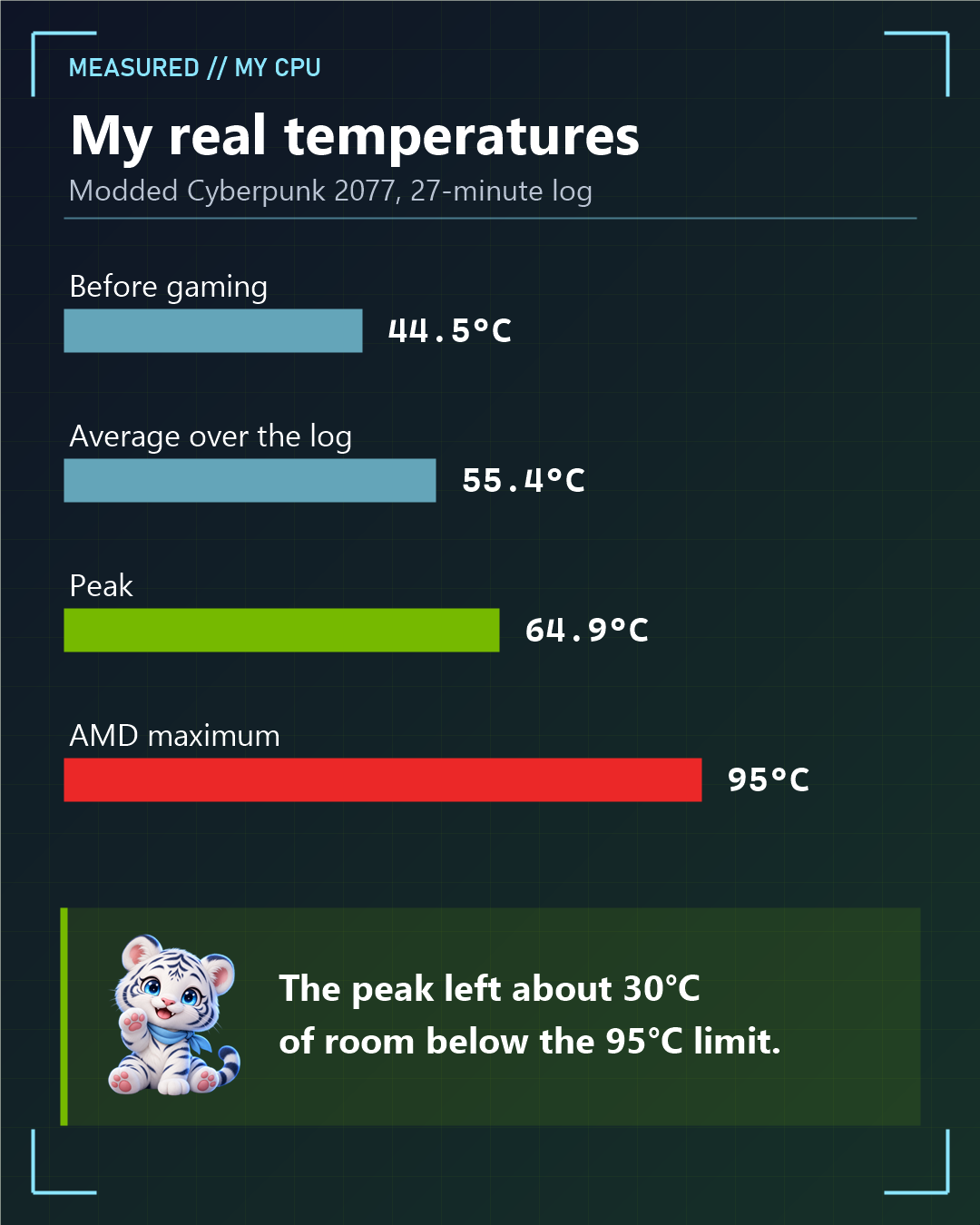
- Before gaming: 44.5°C
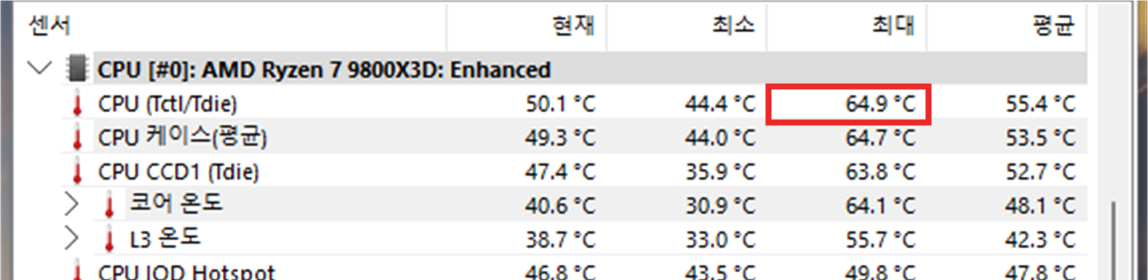
- Peak during the 27-minute log: 64.9°C
- Average over the log: 55.4°C (this includes the time before and after playing)
The peak left about 30°C of room below the 95°C limit.
Here is one moment from the game, with the NVIDIA statistics overlay turned on (Alt + R).
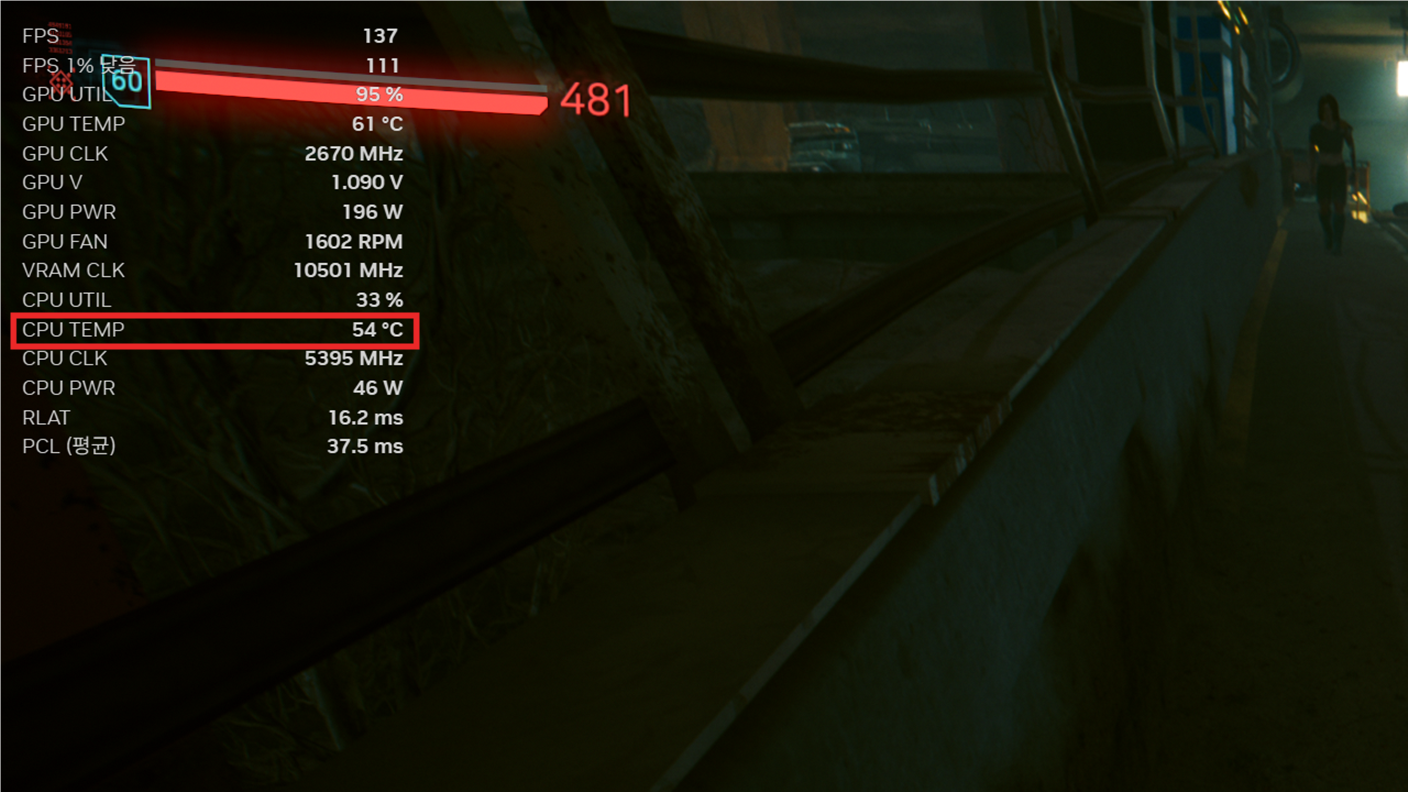
In this scene the CPU was at 54°C, with 33% usage, 5,395 MHz, and 46 W. This number is lower than the 64.9°C peak because it shows a single moment. I don’t know exactly when the 64.9°C peak happened.
These results come from my PC and my mod setup. Room temperature, the case, the game, and the cooler can all change the numbers.
4. Air Cooler or Liquid Cooler? My Experience
You can run this CPU on an air cooler. For light use, I’d still pick air. But for demanding games, air cooling was hard for me with the 9800X3D.
AMD’s product page also says this CPU comes without a cooler, and it recommends a liquid cooler for the best performance.
To be fair, the "near 80°C" number from my air cooler days comes from my memory. I didn’t measure it under the same conditions as today’s test. Results with air coolers also depend on the cooler model and the case.
5. How to Lower CPU Temperature
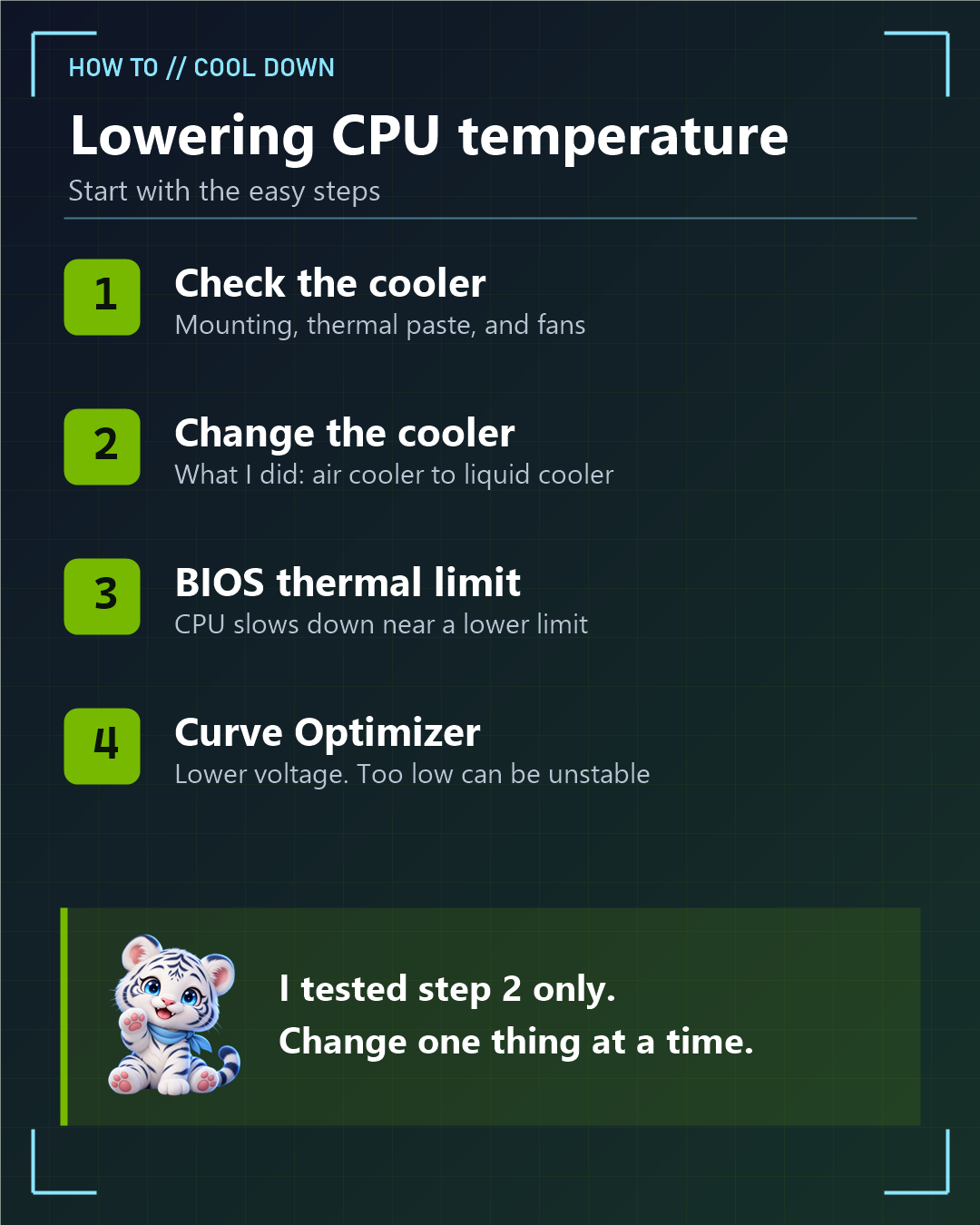
Start with the easy steps:
- Check the cooler. Make sure it’s mounted properly, the thermal paste is applied well, and the fans are spinning.
- Change the cooler. This is what I did. I went from an air cooler to a liquid cooler.
- Set a thermal limit in the BIOS. In the PBO menu, a lower Thermal Limit makes the CPU adjust its speed near that temperature. You may lose some boost performance.
- Use Curve Optimizer. This lowers the voltage a little. MSI tested a similar CPU, the 9850X3D, and reported about 2.6°C lower at -20 and about 5.3°C lower at -30. If the value is too low, the system can become unstable.
On MSI boards, the menu is usually found here: OC → Advanced CPU Configuration → AMD Overclocking → Precision Boost Overdrive. The names and location can differ by board and BIOS version.
I haven’t measured steps 3 and 4 on my own PC. If you try them, change one thing at a time, and check your warranty terms first.
6. Summary
- AMD’s maximum operating temperature for the 9800X3D is 95°C.
- Check the "CPU (Tctl/Tdie)" row in HWiNFO, and minimize the window instead of closing it.
- My liquid-cooled PC peaked at 64.9°C in a 27-minute log that included Cyberpunk 2077.
- For light use, air cooling is fine. For demanding games, I’d go with liquid cooling.
My Numbers at a Glance
| Item | Value (27-minute log, liquid cooler) |
|---|---|
| Before gaming | 44.5°C |
| Peak | 64.9°C |
| Average (including time before and after playing) | 55.4°C |
| AMD's maximum operating temperature | 95°C (about 30°C of room at my peak) |
These numbers come from my PC and my mod setup. Room temperature, the case, the game and the cooler can all change them.
Words to Know
- liquid cooler: a cooler that uses liquid to carry heat away (수냉 쿨러)
- maximum operating temperature: the highest temperature a part is designed to run at (최대 작동 온도)
- thermal paste: a paste between the CPU and cooler that helps move heat (써멀 페이스트)
- shaders: small programs a game prepares for drawing graphics (셰이더)
- boost: extra speed the CPU uses when it has room (부스트 클럭)
- voltage: the electrical pressure given to a part (전압)
- unstable: likely to crash or freeze (불안정한)
- warranty: the maker's promise to repair or replace a product (보증)
Sources (official pages, in English):
Related posts on TREND BYTE:
Last updated: November 21, 2026 (restructured with a short answer at the top and sources at the bottom; numbers unchanged).